

Activart MCP Server
ChatGPT, Claude and Gemini connector
Create Activart artwork without leaving your AI chat
An Activart connector for ChatGPT, Claude and Gemini. Connect your Strava account, choose an activity and describe the artwork you want. Find a run, customize its poster and get the finished image in the conversation without opening the Activart website.
In production
01 / The activity
02 / The tool actions
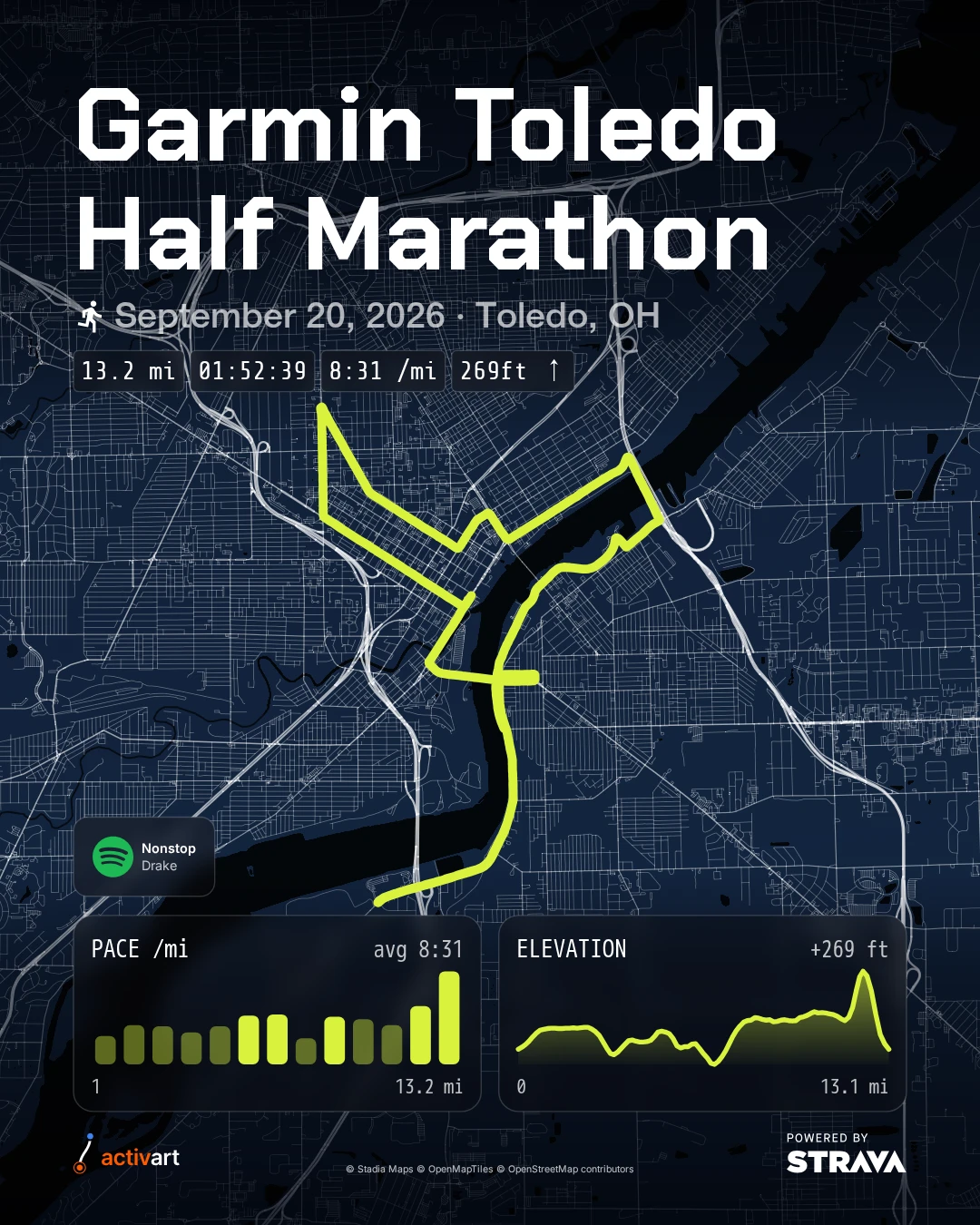
list_my_activitiesFind the Garmin Toledo Half Marathon in Strava.get_activity_detailsConfirm the distance, moving time, mile splits and recorded soundtrack.create_route_posterRender the default Signature palette and both charts. Spotify request: add only track 1, Nonstop by Drake, as a single-track card.
03 / The actual artwork
Why bring Activart into an AI chat?

The challenge
I wanted people to make Activart artwork in the assistant they already use. A request like ‘Make a poster from my latest run’ should find the activity and return the artwork, with follow-up changes handled in the same conversation.
What can I make in ChatGPT, Claude or Gemini?
My work
I built an MCP server that connects ChatGPT, Claude and Gemini to Activart’s tools. After authorizing Strava, you can ask the assistant to find recent activities, look up a run’s details and create a poster from its actual GPS route and statistics.
You can choose the colors, fonts, title, format and statistics in plain language, add pace or elevation charts, and use a photo from the activity as the background. Ask for a different treatment and the assistant can render another version. The finished poster comes back as an image with a private download link.
I also added route-video tools in private preview. You can request a glowing city route, a topographic replay or a seasonal turkey trot, review the settings in chat, then have the assistant check rendering progress and return the finished video link.
One real race, three treatments
These posters were generated through the connected Activart MCP tools from my Garmin Toledo Half Marathon on September 20, 2026. The route and recorded statistics stay the same while the palette, type and charts change. Open each image to see the full render.
Technical details
- One Node.js MCP server exposes activity lookup, poster options, activity photos and rendering tools to compatible assistants.
- OAuth connects each assistant session to the user’s authorized Strava account. Activity data is fetched on demand; authentication credentials are stored separately.
- Headless Chromium renders the poster from GPS and activity data, with controls for typography, colors, charts, photo backgrounds and export formats.
- Poster images return directly through MCP with temporary private download links. Private-preview video tools review settings before starting a render, report progress and return a temporary video link.
Do I need to open the Activart website?
Result
Once the connector is set up, the conversation becomes the workspace: choose a run, describe a design, review the artwork and ask for changes. There is no need to visit the Activart website to create or customize a poster. The assistant calls Activart’s renderer using the real activity data, then returns the image and a download link in chat.
Can I turn a route into a video, too?
From a prompt to a route in motion
These are existing Activart renders, paired with example prompts describing each treatment. The prompts are illustrative, not transcripts of the original requests. Video tools are currently in private preview.
Example prompt
Create a vertical video of my Garmin Toledo Half Marathon on September 20, 2026. Trace the route in neon lime through a blue wireframe city. Show my pace, heart rate, elevation and race totals, with a Garmin brand card and the Spotify tracks I listened to displayed as the route plays.
Existing Activart render
Toledo Half Marathon
Neon city · 0:56
A glowing route moves through a blue wireframe city. The Spotify now-playing card changes alongside the activity statistics. Track titles are displayed visually; this clip has no audio.
Open videoHow can I connect it?
What is next
Available through custom connections in ChatGPT, Claude and Gemini, with Strava authorization during setup. Public marketplace listings are still pending. Route-video creation is a private preview and requires preview access.
Want to talk about the work?
Connect on LinkedIn