

Lesson Grove
EdTech · Classroom Learning
A little encouragement. A new skill. A reason to celebrate.
My wife, Ms. Hart, approached me with the idea for Lesson Grove, and I helped her build it for her fourth-grade class, turning writing practice into a woodland adventure. Her in-app character guides students through lessons at their level, helps when they get stuck and cheers them on as they earn stars and awards. Built for desktop, tablet and phone, it gives students a friendly place to practice and a reason to keep going.
In production
How do you make writing practice feel fun?

A welcoming place to learn
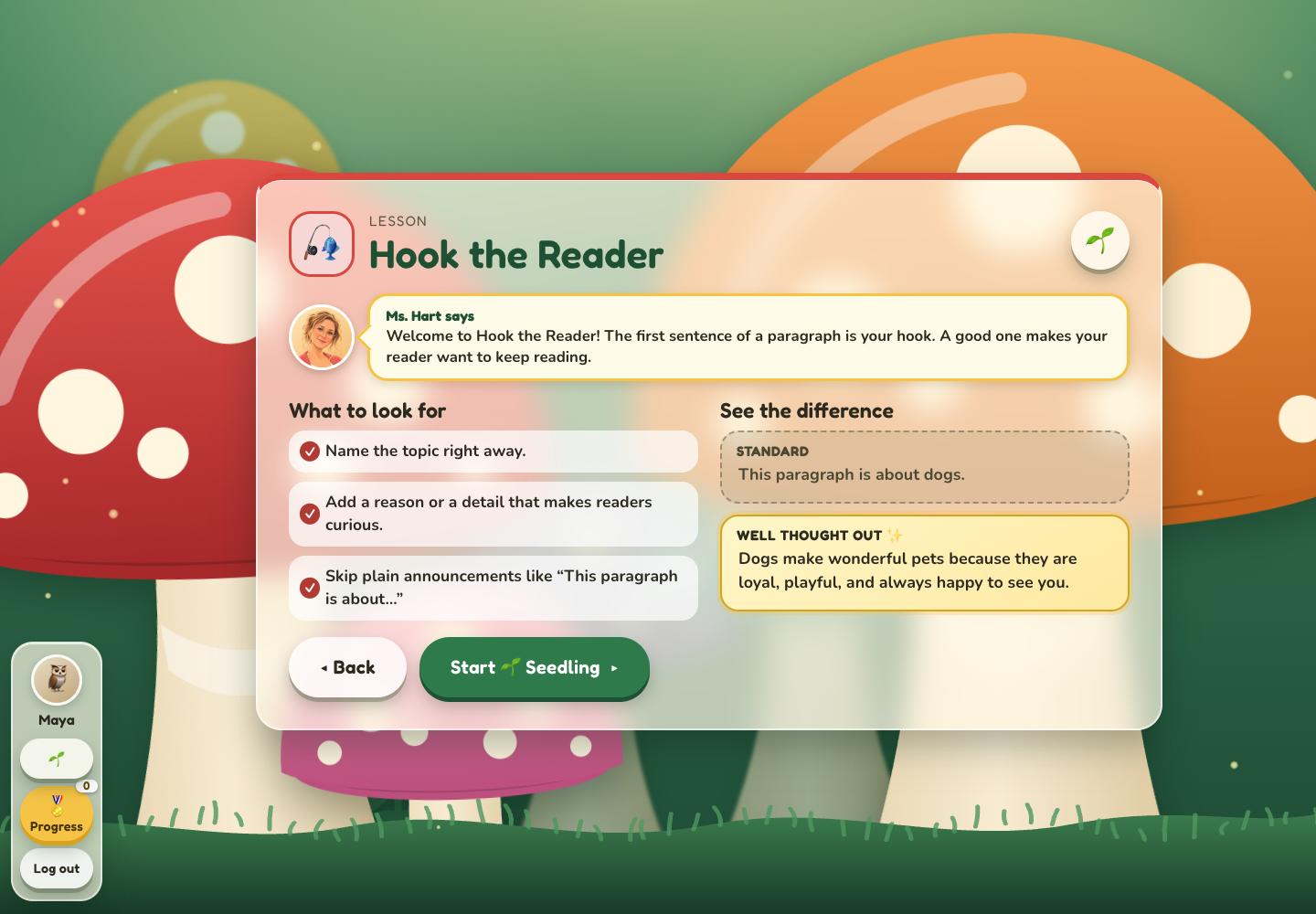
My wife, Ms. Hart, approached me with an idea to make writing practice fun for her fourth-grade students. I helped her bring it to life with challenges that fit their level and encouragement to keep trying. Bringing their teacher into the app as a familiar guide connects the experience to their classroom. Short lessons, playful interactions and visible milestones give students something to look forward to as they practice sentences and paragraphs.
Explore Lesson GroveHow does Ms. Hart help students learn?
Guidance at the right level
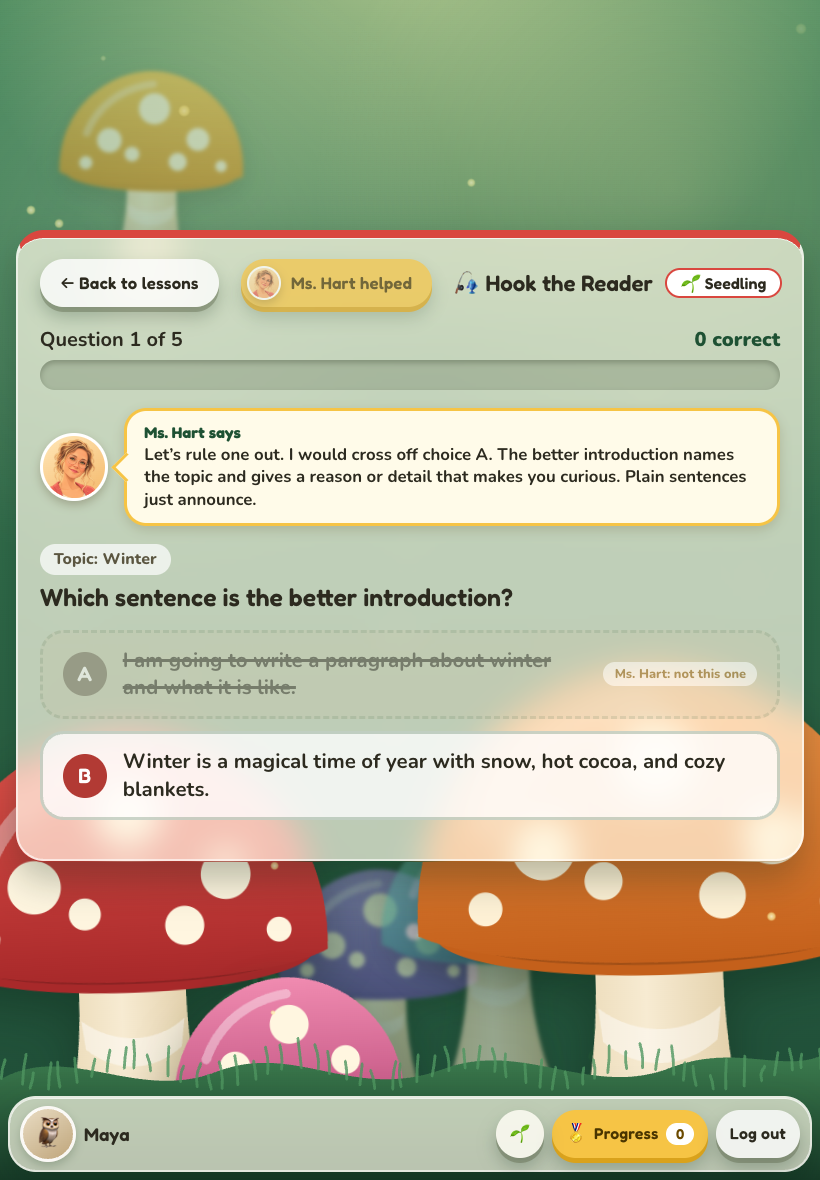
The in-app Ms. Hart brings a familiar classroom presence into the learning experience, from a personal welcome to lesson introductions and feedback after an answer. Students can ask her for help once per lesson; she offers a hint and, for multiple-choice questions, rules out one incorrect answer. Explanations show why an answer works, so feedback becomes another chance to learn.
Five writing lessons span three trails: Seedling, Sprout and Bloom. Students can choose a level that suits them, practice in short rounds and move to a harder trail when they are ready. Woodland characters, warm colors and playful interactions make the practice feel inviting, while the lesson stays focused on a specific writing skill.
A guide students can turn to
Ms. Hart welcomes, explains, hints and encourages throughout the lesson. Help is part of the game, so getting stuck has a clear next step.
A challenge that fits
Seedling, Sprout and Bloom offer three levels of practice. Short rounds make it easy to finish a lesson, try again or take on a new challenge.
Report cards that grow with the student
Students can save a report card as a picture, with their lesson scores, completed trails and earned awards in one place. These samples show how it fills out as they progress. Select a card to view it at full size.
Technical details
- React and TypeScript, with editable JSON lesson content and three difficulty levels.
- Responsive layouts for desktop, tablet and phone, with keyboard-accessible controls and reduced-motion support.
- Progress and awards saved locally in the browser; no student account or application server.
- Randomized practice rounds with recent-repeat avoidance, contextual hints and answer explanations.
What makes finishing a lesson feel rewarding?
Make progress worth celebrating
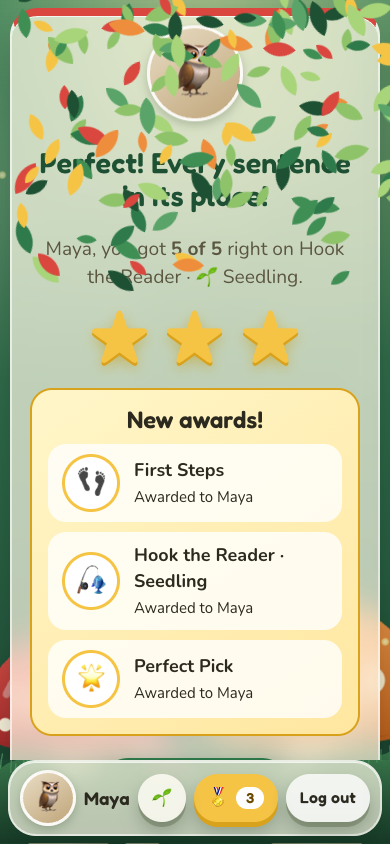
Finishing a lesson gets its own moment: stars, falling-leaf confetti, a personal message and new awards. The lesson menu shows completed work and best scores, and the progress drawer collects earned badges. A report card brings it all together. These moments are designed to help students recognize their effort, feel proud of a milestone and want to try the next lesson.
Make finishing feel good
Stars, leaf confetti and personal award messages turn the end of a lesson into a celebration of what the student has accomplished.
Make the next step visible
Completed lessons, best scores and trail progress show students where they have been and give them a clear reason to come back.
Play on the screen at hand
The full lesson experience works on a classroom desktop, a tablet or a phone, including Ms. Hart’s help, rewards and report cards.
Where can students use it, and what comes next?
Classroom learning, with room to grow
Fully functional on desktop, tablet and phone at lessongrove.app. Students choose a woodland friend and a name, then start playing without creating an online account. Progress stays in the browser on that device. My next goal is to add more learning modules and subjects, with the possibility of growing Lesson Grove into a modular classroom learning platform. That broader platform is a future direction; the current app focuses on writing practice.
Want to talk about the work?
Connect on LinkedIn